When Should You Replace a Smartphone Battery?

On this page

Replace a smartphone battery when reliable diagnostics show significant degradation, the phone repeatedly shuts down despite having charge left, or its usable runtime has become unacceptable after you have ruled out apps and settings. Swelling, a lifting screen or unusual heat is different: stop using and charging the device and arrange professional inspection. A battery-health reading near 80% can be a useful service signal on certain models, but it is not a universal replacement deadline for every Android or iPhone.
Signs that a battery replacement may help
The most revealing sign is a persistent change from the phone’s former behaviour. If the same basic workload once lasted comfortably until evening but now needs several extra charges, capacity loss may be involved. Another clue is an unexpected shutdown while the battery indicator still shows charge. Old batteries can have difficulty supplying peak power, particularly in cold conditions or under heavy loads. Apple’s battery performance guidance explains that chemical ageing affects both capacity and peak-power delivery.
Still, one symptom does not prove the battery is the cause. A navigation app accidentally running in the background, high screen brightness, unstable mobile coverage or a failing charger can create similar complaints. Compare the conditions in which the problem occurs before requesting a replacement.
| What you notice | Possible explanation | What to do |
|---|---|---|
| Runtime slowly shrinks over months | Normal battery ageing | Check manufacturer health diagnostics |
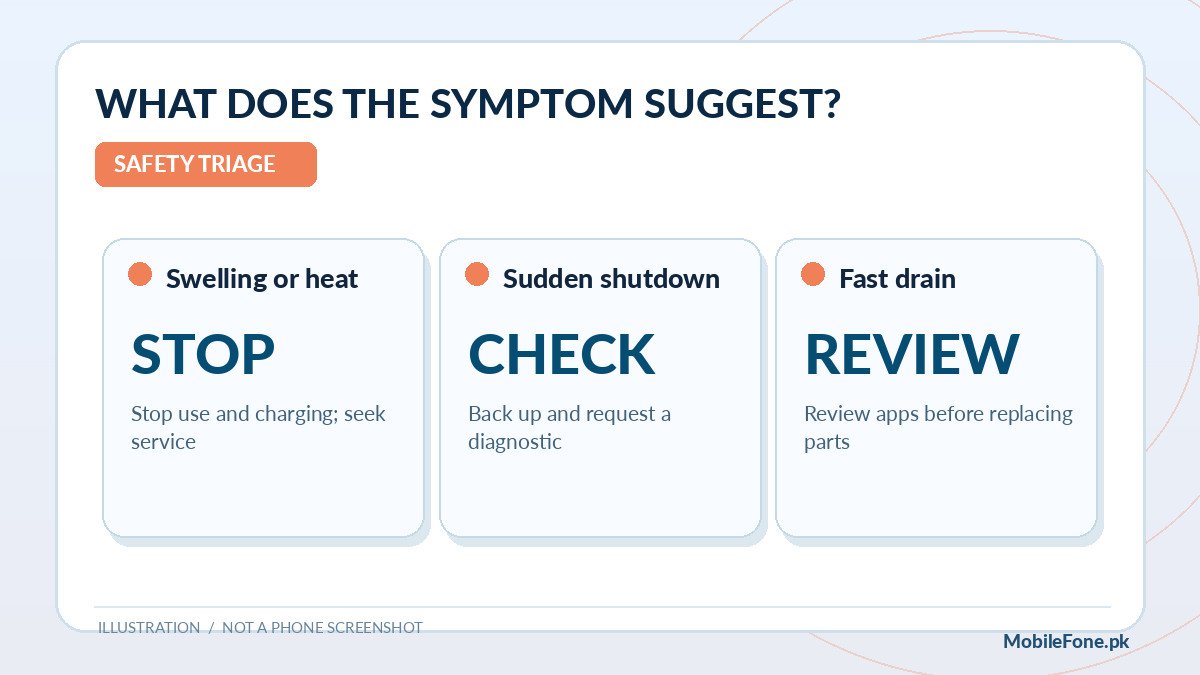
| Unexpected shutdowns at moderate charge | Power-delivery limitation or another fault | Back up data; seek diagnostic assessment |
| Sudden drain after a new app or update | Temporary or ongoing software activity | Review usage and updates before repair |
| Swollen cell, lifted panel or strong abnormal heat | Potential physical battery hazard | Stop use/charging; get qualified support |
What the 80% battery-health figure really means
Some manufacturers identify a remaining maximum-capacity threshold around 80% as a point for considering replacement. For example, Google lists different design cycle counts for different Pixel generations and associates reduced capacity with service guidance. Apple distinguishes iPhone 14 and older from iPhone 15 and later in its rated charge-cycle information. These are manufacturer-specific design or service references, not a rule that the battery instantly fails at 79%.
Imagine a user whose battery health reads 83% but who cannot finish a short working day. A technician may find replacement useful even though the indicator is above 80%. Another user may have 79% health, predictable charging and sufficient runtime, with no immediate emergency. Consider performance and physical safety alongside the percentage rather than treating a single number as a pass/fail examination.
On many Android phones, a precise health percentage is not available in standard settings. Samsung’s official support focuses on the Samsung Members battery diagnostic and its condition labels. An app claiming to calculate an exact battery percentage from a few charging sessions should not overrule an authorised inspection.
Check the battery without guessing at the fault
Start with low-risk tests. Charge with a suitable, undamaged charger, then compare the phone’s behaviour during ordinary use. Record the rough time since the last charge, major apps used and any surprise shutdowns. If drain began suddenly, inspect the built-in battery usage chart and recent app changes. The goal is to distinguish a worn battery from a phone merely using more energy than usual.
- Restart once and install official app or system updates that address known issues; do not download modified firmware.
- Open your manufacturer’s battery health or diagnostic view, if offered, and record its wording or percentage.
- Check battery usage for an app or service active unexpectedly in the background.
- Inspect for unusual heat, swelling or separation of the rear cover. Stop using the device if physical damage is suspected.
- If normal usage is still severely affected, get an authorised service assessment rather than performing an unverified battery swap.
For Galaxy owners, Samsung Pakistan recommends diagnostics and its service centre when the symptoms justify it. On iPhone, Apple’s service route is model-dependent. Your local availability of authorised service and genuine parts should be checked rather than assumed.
Replacement battery, repair shop or a new phone?
A replacement may be economical when the rest of the handset is in good condition, the screen and charging port work, and the manufacturer still supports necessary security updates. It becomes less attractive if several major components are failing or you would be paying a substantial fraction of the cost of a better-supported handset. The sensible comparison is total repair cost, parts quality, service warranty and realistic remaining phone life—not just the advertised mAh of a replacement cell.
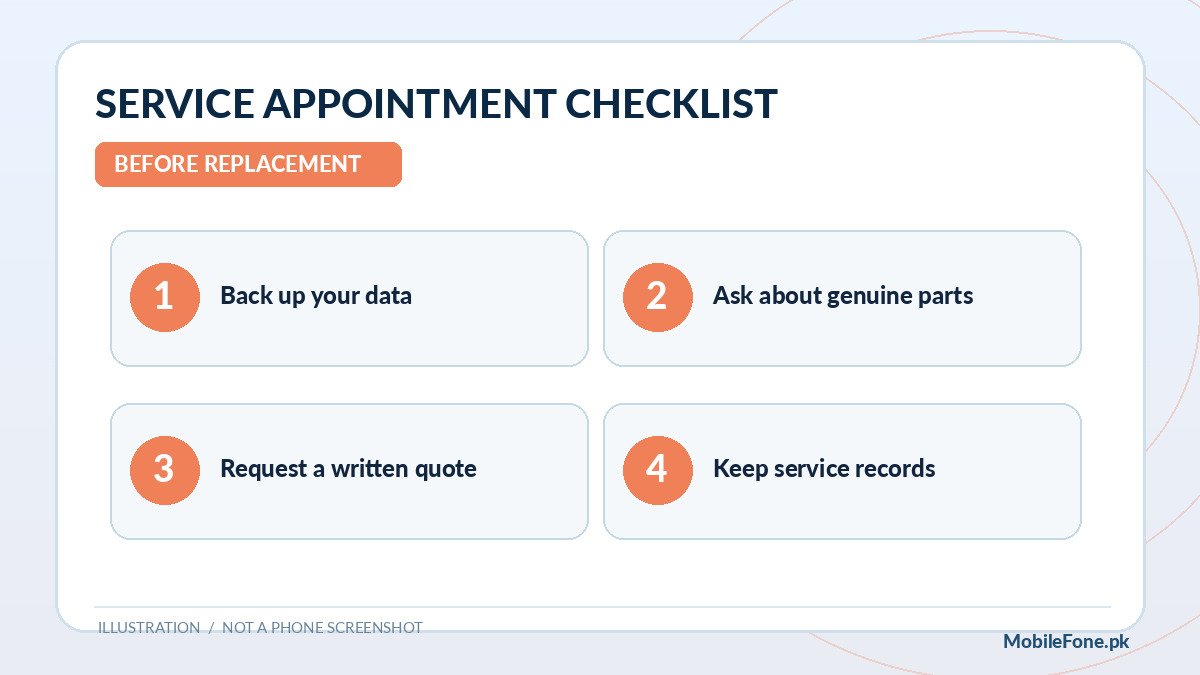
In Pakistan, ask for a written quote that identifies the exact battery part, service terms and whether an official service channel is available for your model. Do not accept a claim that an unverified third-party battery is automatically larger-capacity, safer or faster-charging. Check the repaired phone for correct fit and stable charging, and keep the repair receipt.
If replacement is unattractive, browse the MobileFone under-Rs.-50,000 listings or the full phone directory to start a budget comparison. Listed prices are reference information; retailer, warranty, storage and availability need confirmation before purchase.
Prepare your data and protect yourself before service
A battery repair normally aims to leave your files intact, but no workshop can guarantee that data will never be lost during diagnosis or service. Back up photographs, contacts, important documents and authenticator recovery methods before handing over the phone when it remains safe to operate. Sign out of sensitive sessions only if the service provider’s process requires it, and do not disclose banking passwords or one-time codes to a repair technician.
If a battery is swollen or the handset is hot and visibly damaged, do not keep charging it merely to finish a backup. Physical safety takes priority; let qualified personnel advise whether data recovery can be done safely. Avoid puncturing, bending or removing a glued-in battery yourself, and do not dispose of a damaged lithium-ion cell in ordinary household rubbish.
A practical replacement decision
Ask three questions in order: Is the phone physically safe to continue using? Is the suspected battery problem supported by diagnostics and consistent symptoms? Is a genuine, safely installed replacement worth the cost compared with replacing the handset? If the first answer is no, stop. If the second is unclear, diagnose before buying parts. If both are reassuring, a properly installed new battery can extend useful phone life without forcing an unnecessary upgrade.

Related reading
 Battery & ChargingWhy Does My Phone Battery Drain Overnight?November 14, 2026
 Battery & ChargingFast Charging Not Working on AndroidNovember 14, 2026
 Battery & ChargingPhone Charging but Battery Percentage Not IncreasingNovember 14, 2026
 Battery & ChargingPhone Gets Hot While Using Mobile DataNovember 14, 2026