Does 5G Use More Battery Than 4G?

On this page

5G can use more battery than 4G/LTE, but the difference depends on coverage, network configuration, the phone and what you are doing. A weak 5G connection or a setting that keeps choosing 5G can be less useful than reliable LTE for a light task. Automatic network modes can help. There is no honest single percentage penalty that applies to every phone, carrier, location and workload, so compare the setting on your own handset.
Why the 5G label does not predict battery life
5G describes a family of network capabilities, not one fixed power requirement. The handset still has to run its display, apps and background tasks. Faster network access may change what those apps do, such as choosing higher-quality content. That makes a casual comparison between two days difficult to interpret.
Apple explicitly says 5G On can reduce battery life, while 5G Auto can select LTE when 5G does not offer a noticeable benefit. The same guidance explains that higher-data options can enable more demanding content and background activity. A change in streaming quality should not be mistaken for a clean radio-only test.
Hardware matters too. A 5G-capable iPhone 12 Pro Max and a 4G Redmi 13C have different batteries, screens and processors. Comparing their total runtime does not isolate the effect of 5G. First establish whether the same phone supports both network choices.
Coverage and network configuration change the result
Poor reception can increase the energy needed to maintain a connection. Apple’s battery-use guidance identifies low signal and lack of coverage as relevant factors. Reliable LTE in one room can therefore be a more sensible choice than pursuing a faster label with unreliable service.
Some 5G configurations also use an LTE anchor. The standards body 3GPP explains this distinction in its non-standalone and standalone architecture discussion. Samsung describes extra drain in a dual-network 5G scenario. That scenario should not become a blanket claim that every current 5G service needs the same connections or cannot support voice.
For a user in Pakistan, the useful check is the actual SIM, tariff, device compatibility and coverage where the phone is used. A 5G-capable specification or status-bar icon alone does not prove useful local 5G performance. Ask the carrier about your line and location rather than assuming nationwide availability from a model name.

Choose a mode for the task, not the biggest number
| Your situation | Reasonable starting choice | What to check |
|---|---|---|
| Reliable 5G and large downloads | Automatic 5G-capable mode | Whether the speed benefit is useful for that task |
| Messaging and light browsing | Automatic mode that can fall back to LTE | Whether keeping 5G available changes the experience |
| Unstable 5G where you normally use the phone | Compare an available LTE preference | Reliability, battery use and call behaviour |
| Hotspot, gaming or high-quality video | Choose for the complete workload | Screen use, connected devices and heat as well as network type |
| No useful 5G option on the line | Use supported available service | Carrier and model support, not unofficial unlocking tools |
This is a decision aid, not a ranking of operators or a claim that one mode always saves a particular amount. If automatic mode gives reliable service and satisfactory battery life, you may have no reason to force a different setting.
Use the network-saving options your software supports
On a supported iPhone, look under Mobile Data or Cellular, select the relevant line if needed, then find the Voice & Data options. Apple distinguishes 5G Auto, 5G On and LTE. The exact route and available options depend on the carrier and software. Keep the original choice in your notes before changing it.
On supported Pixel phones, Google’s Adaptive connectivity guidance describes enabling 5G when an app needs increased speed. The documented route is Settings, Network & internet, Adaptive connectivity. Carrier restrictions can apply. Other Android brands use different controls, so do not assume that name or route exists everywhere.
- Choose the correct SIM or line before changing its network preference.
- Use ordinary supported settings rather than service codes or modified firmware.
- Check calls, messages and data after making the change.
- Keep the better everyday service if a theoretical battery benefit makes communication unreliable.
Compare the same workload on the same phone
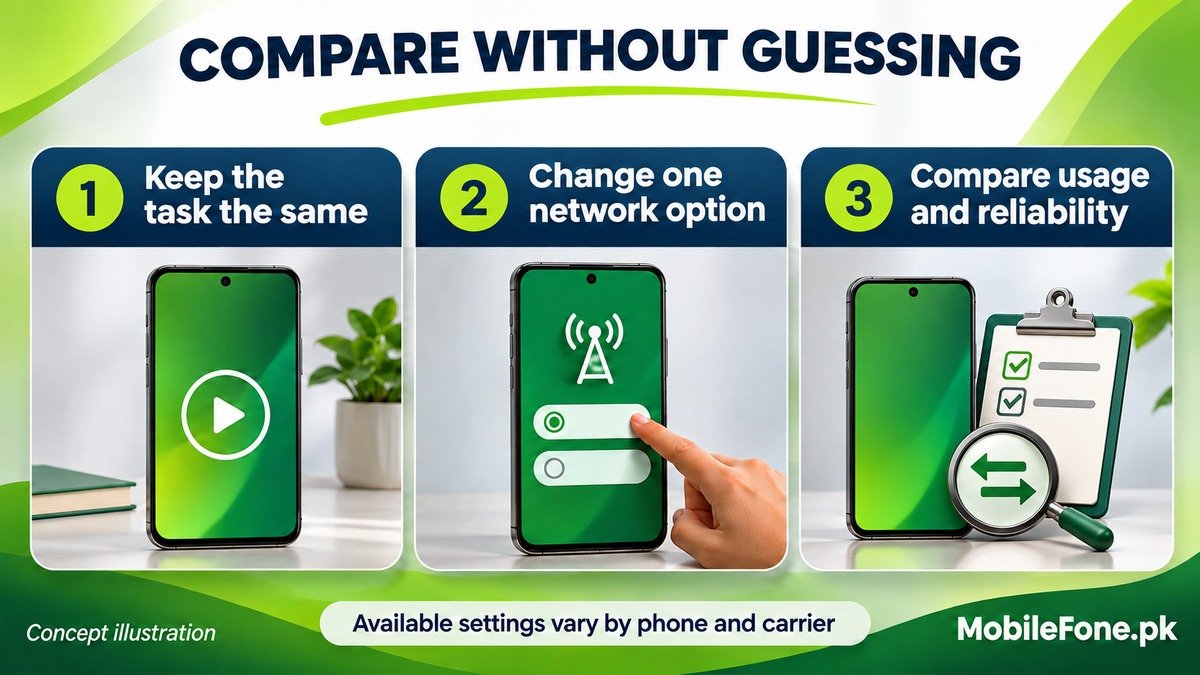
A useful comparison controls the things you can control. Two unrelated days can differ in screen time, travel, signal and uploads, making the battery change impossible to attribute to network type alone.
- Start with the same phone in a similar location and at a normal temperature.
- Keep brightness, the app, content quality and task duration similar.
- Compare the original automatic mode with a supported alternative, changing only that network preference.
- Read the battery record and note reliability, warmth and whether the task completed satisfactorily.
- Repeat if reception or workload changed substantially, then restore the mode that best fits normal use.
This is a practical personal comparison, not a laboratory measurement. A download finishing sooner can reduce one task’s active time, but that alone cannot establish lower total battery use. Avoid turning a small one-off percentage difference into a precise claim about all 5G phones.
Stop the comparison if the phone becomes uncomfortably hot or shows a cooling warning. Google’s heat guidance explains that demanding use can trigger protective limits. For everyday use, reliable coverage and an appropriate automatic mode are a more useful starting point than assuming either 5G or LTE must always win.

Related reading
 Battery & ChargingWhy Does My Phone Battery Drain Overnight?November 14, 2026
 Battery & ChargingFast Charging Not Working on AndroidNovember 14, 2026
 Battery & ChargingPhone Charging but Battery Percentage Not IncreasingNovember 14, 2026
 Battery & ChargingPhone Gets Hot While Using Mobile DataNovember 14, 2026