WhatsApp Calls Not Ringing: What to Check

On this page
If WhatsApp calls are not ringing, check both Android’s notification controls and WhatsApp’s own call-alert settings. A missed-call notification without a ring often points to an alert or sound setting; calls that appear only after opening WhatsApp may involve background restrictions or connectivity. Start with a test call from a trusted contact while the phone is unlocked, then repeat with the screen locked. The difference helps identify what actually needs fixing.
Separate a silent ring from a call that never arrives
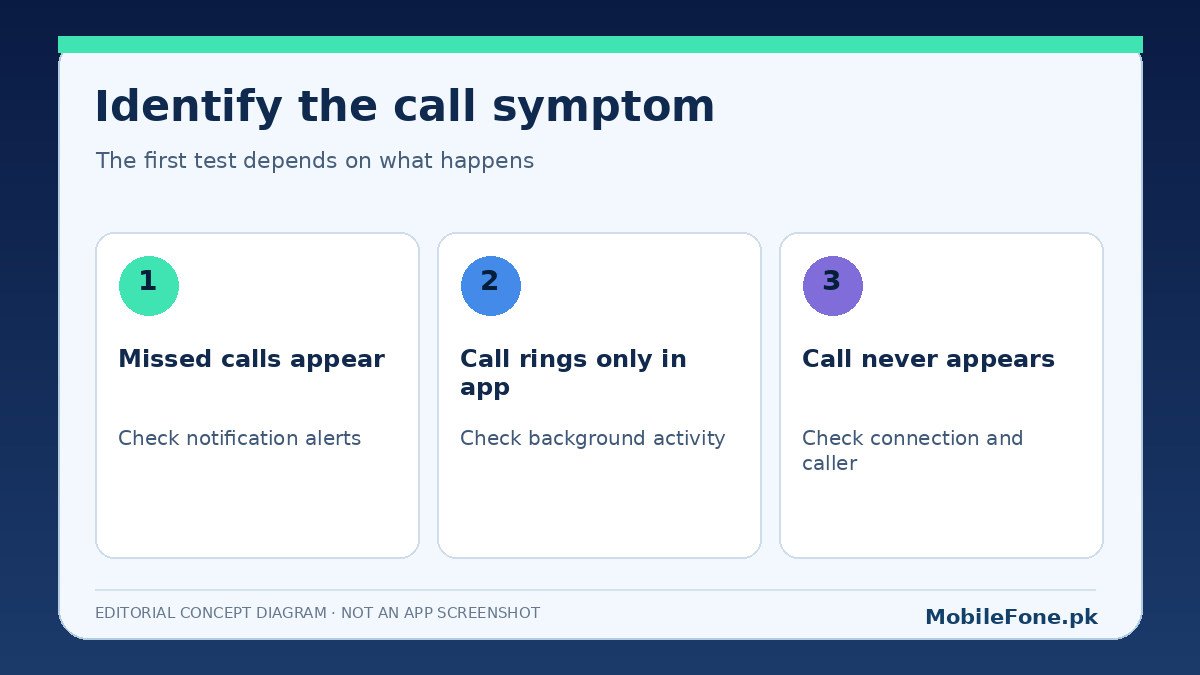
Ask a contact to call once while you watch the phone. Note whether you see an incoming call screen, a silent notification, a missed-call entry or nothing at all. These are not interchangeable symptoms. A call that arrives silently needs different attention from a call that cannot reach the device on a particular network.
| Symptom | Most useful next check | Why |
|---|---|---|
| Call screen appears, no sound | Ringer volume, ringtone, silent mode and alert category | Delivery appears to work; sound may be suppressed |
| Only missed-call alerts appear | Do Not Disturb and background restrictions | Incoming alert may be hidden or delayed |
| Rings only while WhatsApp is open | Background activity, battery restrictions and data access | App may not receive timely background events |
| Fails on Wi-Fi but works on mobile data | Wi-Fi access and connection quality | Problem may be network-specific |
| Only one contact is affected | Chat-specific settings and the caller’s connection | Global app settings may be fine |
Check Android volume and notification channels
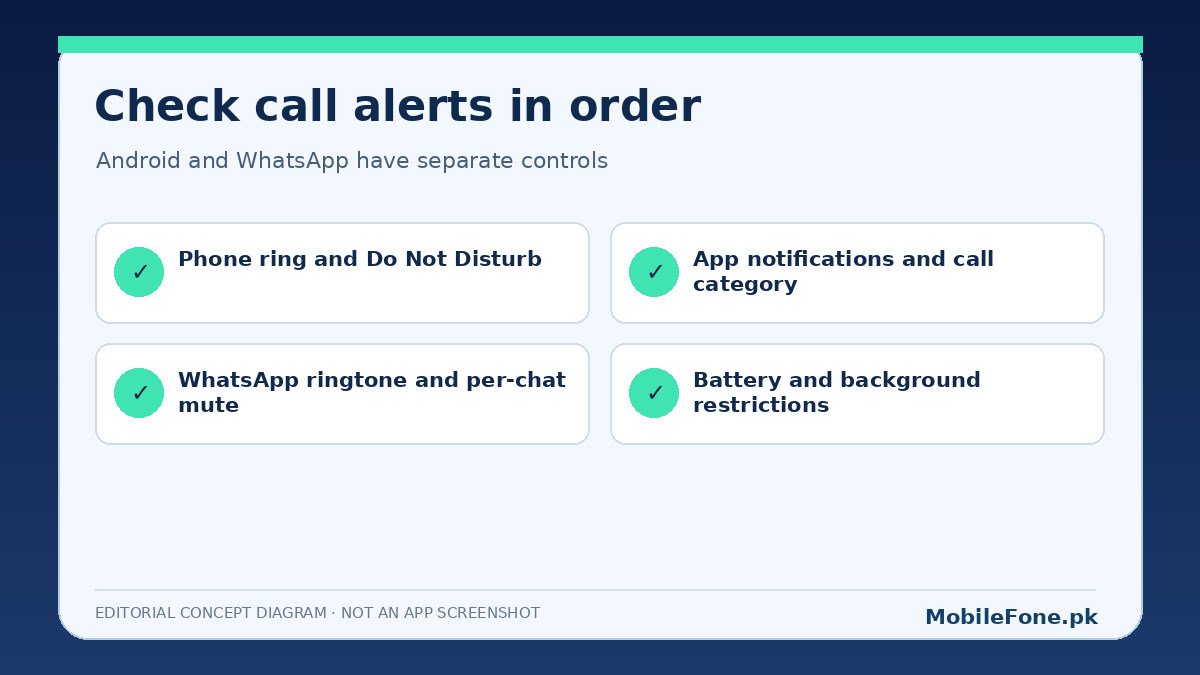
First, turn off silent or vibrate-only mode if you expect an audible ring. Check ring and notification volumes separately, then review Do Not Disturb and any scheduled focus modes. A phone can play videos loudly while its notification or ringer volume remains muted. Android’s notification settings guide explains that apps may have distinct alerting and silent notification types.
- Open the phone’s Settings and search for Notifications.
- Find WhatsApp in App notifications, and make sure notifications are permitted.
- Open call-related notification types if the phone offers categories; select an alerting rather than silent behavior.
- Check lock-screen notification permission and Do Not Disturb exemptions only if you deliberately need them.
- Ask the same trusted contact for another call with the screen off.
Samsung One UI, Xiaomi HyperOS and stock Android do not always use identical menu names. On a Samsung phone, a category may sit behind notification-category settings; on a Xiaomi or Redmi model, the app’s background and notification controls may be organized differently. Find the exact phone software version before changing an advanced permission.
Inspect WhatsApp’s call ringtone and chat settings
WhatsApp has its own notification preferences for messages, groups and calls. Open WhatsApp Settings and review Notifications and any ringtone option currently exposed by your version. The official WhatsApp notification guidance notes that device-level settings can override changes made inside the app. A custom ringtone cannot work while the phone has blocked the related alert category.
Test with more than one caller if possible. One muted conversation, a custom notification configuration or a contact-specific situation can confuse diagnosis. Do not assume that changing every notification setting will fix a call failure caused by the caller’s unstable internet connection.
When calls appear only after opening WhatsApp
Check whether Battery Saver, aggressive app sleeping or restricted background activity is enabled. Google’s Android battery guidance explains that power-saving modes can limit background activity and delay some app functions. Allowing more background activity may help timely call alerts but can increase power usage. Change one setting at a time so you can identify the trade-off.
Also check background mobile data access if your phone provides that setting. If calls work while Wi-Fi is connected but fail over mobile data, test a stable mobile connection and confirm the app is not restricted to Wi-Fi. For a Pakistani SIM, coverage and active data allowance matter more than the network icon alone.
Rule out a connection problem
Try a normal voice note or message, then a WhatsApp call on Wi-Fi and on mobile data. If call delivery varies with the network, restart the router or test another trusted connection before changing app permissions. A VPN or DNS configuration can sometimes complicate network troubleshooting; do not install a random alternative app to bypass the problem.
- Good incoming call, no sound: focus on volume, silent mode and alert categories.
- Nothing until the app opens: inspect background access and battery controls.
- Problem on one network only: check the network and data connection first.
- One contact only: test another caller and review the relevant chat.
Also distinguish a WhatsApp call from an ordinary carrier voice call. The normal Phone app’s ringtone setting and WhatsApp’s notification category do not necessarily control the same alert. If standard calls ring but WhatsApp remains silent, that result makes a device-wide speaker failure less likely. If neither can ring even at maximum ringer volume, check the phone’s general sound output and silent-mode configuration before focusing on WhatsApp alone. The goal is to make each test isolate one layer of the problem.
A second useful test is to compare the phone unlocked on a desk with the phone locked in your pocket. If alerts appear instantly only while the app is visible, background processing deserves attention. If the call card appears in both conditions but sound never plays, revisit ringtone and notification-channel settings. Keep a note of the test before making the next change; without that baseline, a working call after a restart can look like proof of a particular setting even when the connection improved on its own.
Update safely before considering reinstalling
Install app updates through the official Play Store, restart the phone and retest. Avoid clearing WhatsApp storage or uninstalling the app as a routine early fix. Those actions can require account verification and may put chat history at risk when there is no current usable backup. WhatsApp’s notification troubleshooting page specifically recommends backing up chats before reinstalling.
If calls remain silent, record the Android version, whether the call screen appears and what happens with the display locked. Share those details through WhatsApp’s in-app support channel or with the phone maker. A reproducible symptom is more useful than toggling every setting on the device.