How to Choose a Smartphone for University Students

On this page

For university, buy the phone that can handle classes, documents, research and a long commute without straining the rest of your budget. A reliable screen, sufficient real storage, stable connectivity and battery condition usually matter more than an impressive gaming badge. In Pakistan, also confirm PTA status and genuine warranty terms. Begin with your actual campus workload: PDF notes, scanned assignments, lecture videos, learning portals and the applications your department requires.
Make a student workload list before looking at prices
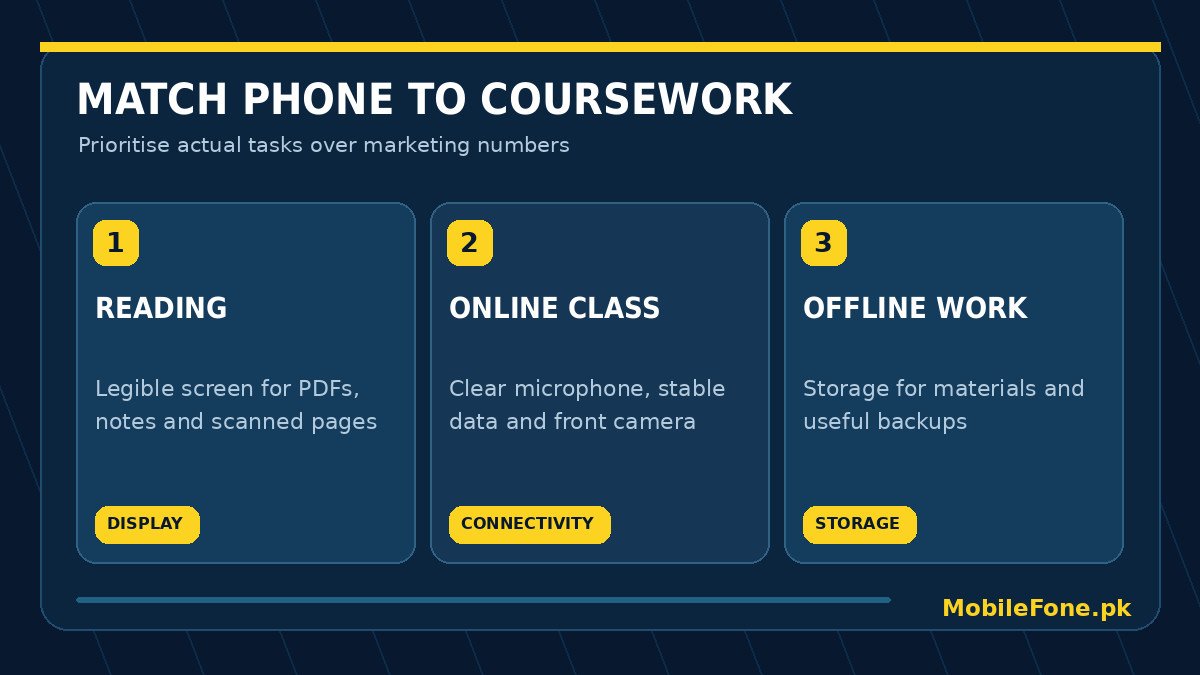
The right specification depends on what you study. A student reading long PDFs and using WhatsApp study groups has different needs from someone editing short videos or running design software. Write down the five applications you use most often, whether classes require video meetings and how much local media you keep. If a mandatory university app requires a particular Android or iOS release, confirm that requirement before choosing a phone, especially an older second-hand model.
A phone should also work where you use it. Dormitory Wi-Fi may be busy; mobile signal can be weak inside lecture halls. An attractive processor will not solve poor reception or an insufficient data package. Check the device’s supported network modes and operator compatibility, then use MobileFone model specifications to compare actual variants rather than relying on one advertisement.
Choose memory, storage and screen by real tasks
For a student regularly switching between a browser, PDFs, messaging and video meetings, adequate physical RAM can help. Storage matters differently: downloaded lectures, scanned handouts and camera videos accumulate throughout a semester. A larger number called extended RAM is not equivalent to additional physical RAM, and an expandable microSD slot may not support installing every application. Check the exact model, usable storage and cloud-backup arrangements.
| Main use | Useful feature | Shop test |
|---|---|---|
| Long PDF reading | Readable display, comfortable brightness | Open a sample scanned PDF and zoom |
| Lectures and meetings | Stable Wi-Fi, microphone and front camera | Join a short test call |
| Assignments and research | Enough internal storage and reliable multitasking | Open browser, notes and document viewer |
| Campus commute | Battery in good condition and practical charging | Check battery diagnostics and charging |
| Travel between cities | Dependable local SIM connectivity | Place a call and load a webpage |
The 8GB RAM phone directory can help identify options, but you should not buy a phone solely because the number is larger. Software efficiency, background-process limits and the chipset also affect responsiveness. Similarly, the 256GB storage directory is useful if you keep lecture videos offline, but may be unnecessary if your course material is modest and well backed up.
Battery, repairs and daily carrying comfort
Battery capacity is a specification, not a guaranteed number of screen hours. Display brightness, weak signal, hot weather, online lectures and background activity all affect runtime. Evaluate charging accessories and whether you can plug in safely at campus. A slightly smaller phone with a healthy battery may be more pleasant than an oversized device that barely fits a pocket or keeps your backpack heavy.
If your budget is tight, leave room for a protective case, an appropriate charger and unexpected repair costs. Check that the phone’s USB port and power button work consistently. A phone advertised as splash resistant should not be treated as safe to immerse, especially after prior repairs. A practical option is often the model that survives ordinary handling and can be serviced locally.
Think about classes, privacy and software support
A fingerprint reader or face unlock can help protect private messages and class accounts, but still set a strong passcode and enable backups. Keep university logins, authenticator recovery methods and important scanned documents in an account you control. Install learning-management apps only from their official distribution links and check permissions before uploading your ID card or campus documents.
Software support deserves more attention than launch-year marketing. A phone already near the end of its update period may become inconvenient while you are still enrolled. Manufacturer support policy differs by model and region, so check the exact product’s current update information. Do not assume every Android phone gets the same number of major releases or security patches.
Balance the student budget without paying for unnecessary extras
Use a simple three-part budget: the handset, essential accessories, and a small contingency for data or repairs. Then prioritise features you will use weekly. Someone attending several online classes may benefit more from clean call audio and a reliable connection than from a high-refresh-rate gaming display. A photography student might reasonably reverse that priority if the phone is used for field documentation.
- Decide your maximum total spend before visiting a shop.
- List three must-have features and two things you can live without.
- Open the course applications and PDFs you already use, or confirm their compatibility.
- Check the actual RAM/storage variant, PTA status and local warranty in writing.
- Compare the final deal with phones under Rs. 50,000 and other current listings, then verify the seller’s actual price.

There is a difference between buying enough storage and buying more than you will use. Check how much space your existing phone uses for lecture recordings, downloads and application files. If the largest files are stored safely in a university cloud account, a modest local-storage model may be sufficient. If you regularly travel without reliable internet, prioritise offline copies and verify that your learning app lets you download them. This calculation is more useful than paying extra for a higher storage number simply because it appears in a comparison chart.
Three practical student profiles
- Reading and communication: prioritise a legible display, healthy battery, stable signal and dependable messaging over a premium chipset.
- Heavy document and media use: consider additional storage, faster app switching and a reliable file-backup method.
- Creative or technical coursework: verify the software your faculty requires, camera and microphone quality, and how much work genuinely runs on a phone.
Buy only after holding the device, testing its keyboard and document viewer, and confirming the full price. A good university phone is one that reliably supports your coursework for the next few semesters, not necessarily the newest phone on the counter.

Related reading
 Mobile Buying GuidesMobile Buying Checklist for Pakistani BuyersNovember 14, 2026
 Mobile Buying GuidesHow to Inspect a Used Samsung Phone Before BuyingNovember 14, 2026
 Mobile Buying GuidesHow to Inspect a Used iPhone Before BuyingNovember 14, 2026
 Mobile Buying GuidesRefurbished vs Used vs Open-Box PhonesNovember 14, 2026