How to Check PTA Status for a Used Mobile

On this page

When buying a used mobile in Pakistan, check PTA status on the phone you are actually receiving before making payment. Dial *#06#, verify every displayed IMEI through PTA’s documented 8484 service or another official verification method, and compare the outcome with the seller’s explanation. A statement such as ‘PTA approved’, ‘single SIM approved’ or ‘tax paid’ is not proof. Combine that result with an ownership-lock test, a working SIM test and a clear written receipt.
Why secondhand PTA checks deserve extra care
A used phone can pass basic tests yet have a regulatory issue that only emerges later. It might be imported, partly registered, previously repaired, tied to a carrier, or advertised with an IMEI screenshot for a different unit. Buyers often focus on camera quality and battery health while forgetting that PTA status is recorded against device identifiers rather than simply the model name.
The official DIRBS standard operating procedure describes IMEI verification through PTA channels, including SMS to 8484. The FBR DIRBS information page links device regularization to applicable customs rules. Neither source establishes that the used phone in front of you is approved without a check on that exact identifier.
Verify the phone in front of the seller
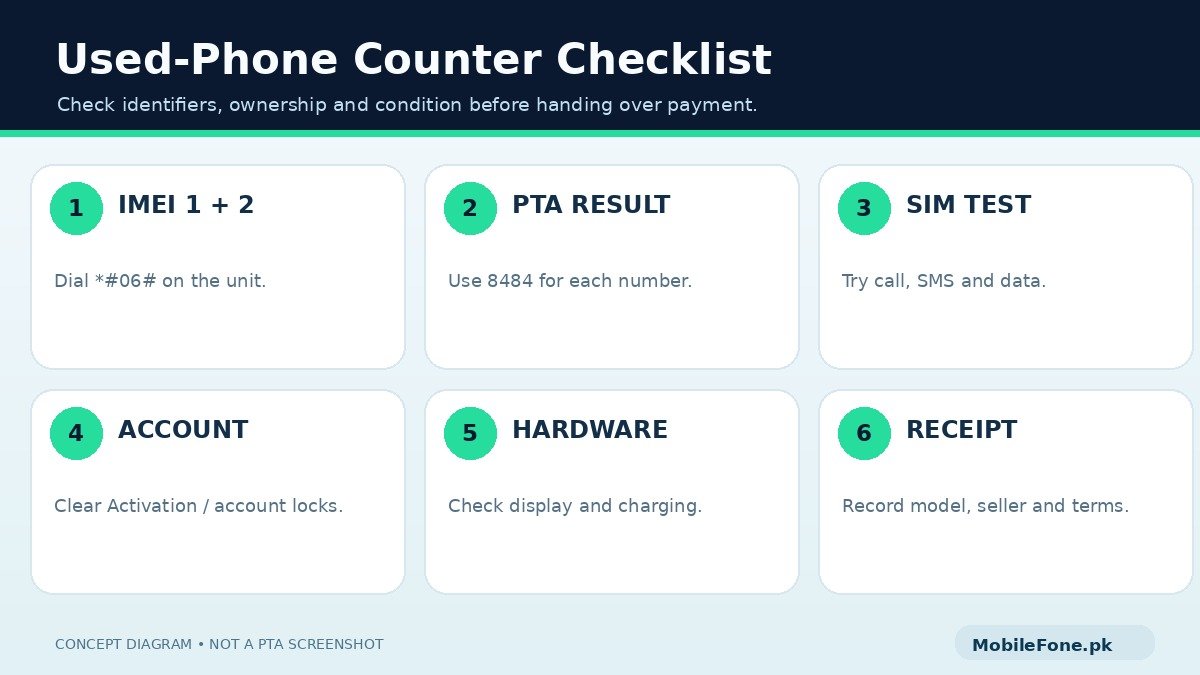
- Ask the seller to power on and unlock the handset normally. Confirm that you can access its dialer.
- Enter *#06# and record IMEI 1 plus IMEI 2 if the device displays two.
- Send each number separately to 8484 or check through the official PTA verification channel.
- Read the whole response. A valid-but-not-registered status should not be mistaken for fully compliant.
- Compare the identifiers with any available box, original invoice and the device-information screen.
- Use a permitted local SIM to test calls, SMS and mobile data; this complements rather than replaces official status checking.
Do not share your OTP or CNIC photo with the seller to perform the test. Checking an IMEI does not require handing over your bank credentials, and an independent current response is better evidence than the seller showing an old screenshot.
| What you see | Likely decision | Extra action |
|---|---|---|
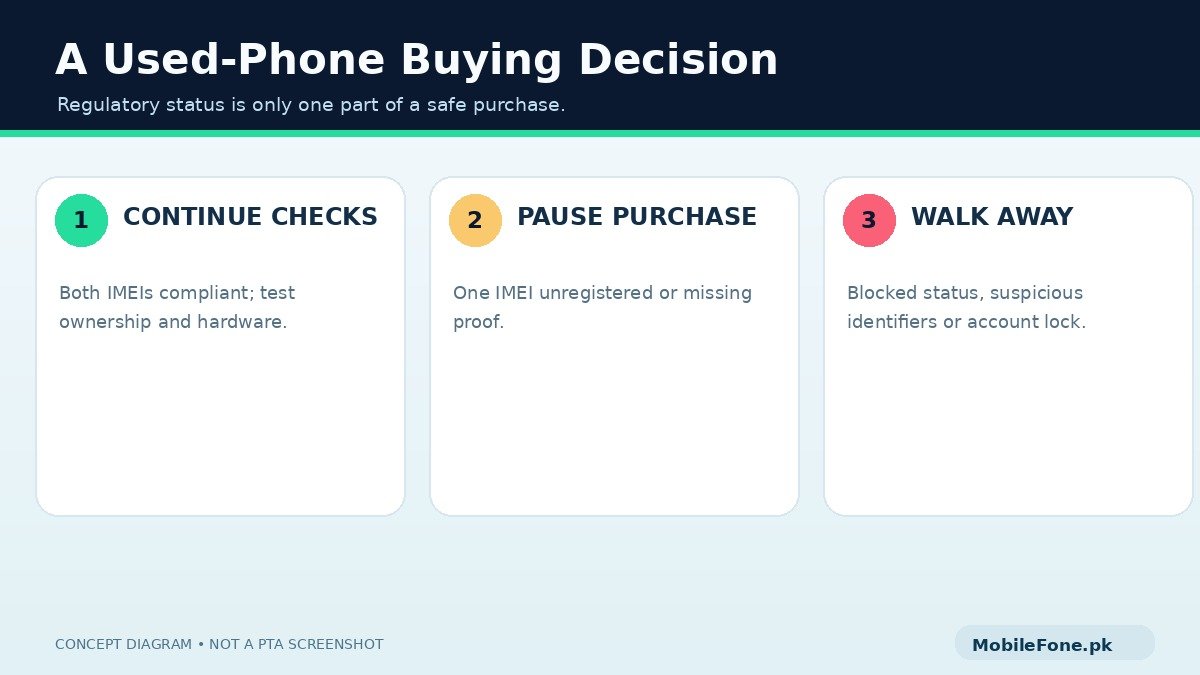
| All displayed IMEIs compliant | Proceed to other checks | Confirm ownership, condition and price |
| Only one of two IMEIs compliant | Pause the deal | Ask for official resolution of the second IMEI |
| Valid but not registered | Do not treat as approved | Check formal process and possible charges |
| Non-compliant or blocked | High caution / avoid | Seek authoritative explanation before buying |
| IMEI mismatch with available paperwork | Stop and investigate | Require a credible documented explanation |
A dual-SIM device deserves two independent checks. Some devices also have an eSIM option and present more than one relevant identifier. A reply for one IMEI does not automatically establish the other. Do not rely on the label ‘single SIM PTA approved’ unless you understand the status of every identifier you plan to use.
Check whether the seller can legitimately transfer the phone
PTA status and ownership locks are different. An iPhone may have Activation Lock enabled, or an Android device may require a previously associated Google account after a reset. Ask the owner to demonstrate a legitimate sign-out and handover without exposing their personal information. Avoid any deal that depends on bypassing a lock or flashing unknown software.
Test the screen carefully, including the edges, fingerprint sensor, cameras, speakers, microphones, charging and Wi-Fi. Check for swelling, unusual heat, water damage indications and previous repairs. A phone can be compliant yet have a costly hardware problem. If the back panel bulges or the battery appears swollen, do not continue charging it; arrange qualified assessment.
Many listings describe devices as ‘official warranty’, ‘box pack’ or ‘non-PTA’. Ask the seller what the words mean for that exact unit. A sealed-looking box is not proof of unused condition, and a seller warranty differs from a manufacturer-backed local warranty. Our editorial standards recommend verifying individual variants and PTA claims instead of accepting blanket model-level descriptions.
Does the used phone’s price include all future costs?
Ask for a clear total: phone price, any verifiable registration-related payment, accessories, likely repairs and the terms for returns. Official FBR duty information should guide any registration cost assessment; a shopkeeper’s fixed figure may be outdated or irrelevant to your circumstances. If the phone’s status is not yet compliant, calculate the risk before paying, not after the return period has expired.
Use the MobileFone phone directory to compare the features and reference prices of different models, then adjust your offer for the actual device’s condition. A well-maintained older phone with a clear history can be a better buy than a newer one with missing paperwork and uncertain IMEI status.
The receipt matters if a problem appears later
Request a receipt describing the correct model, storage, condition, amount paid, seller’s name or business, contact details, date, verified identifiers where appropriate, and any agreed return conditions. Keep the PTA reply associated with the purchase record. If the seller promises to finish an official registration, insist that the issue be resolved and checked before the money changes hands whenever possible.
Do not take the seller’s identity card photo casually or circulate IMEI information in a group. Record necessary transaction evidence appropriately, and avoid sharing sensitive data more widely than needed. If a genuine discrepancy surfaces after purchase, the dated invoice and official status evidence can help explain the case to the seller or relevant authority.
Five signs you should leave the deal
- The seller refuses to show the phone’s actual IMEIs or allows you to verify only one.
- A non-compliant or blocked result is dismissed as ‘just a small software issue’.
- The device requires an unknown account password after restart or setup, and the seller cannot clear the lock legitimately.
- There is visible swelling, damaged charging hardware or an unexplained identifier mismatch.
- Payment must be immediate, the final price is unclear, or promised approval depends on a private agent.
Checking PTA status is quick; resolving a bad purchase can be complicated. Make the seller show the device, verify the identifiers yourself, test essential functions and agree on a written record. If the IMEI status is uncertain, postpone payment until it is clear.

Related reading
 PTA & Mobile RegistrationHow to Check PTA Approval Using an IMEINovember 14, 2026
 PTA & Mobile RegistrationHow to Find an IMEI on Android and iPhoneNovember 14, 2026
 PTA & Mobile RegistrationPTA Compliant vs Non-Compliant Mobile: What It MeansNovember 14, 2026
 PTA & Mobile RegistrationHow Mobile Registration Works Through DIRBSNovember 14, 2026